
Issuing Address: rKYyUDK7N4Wd685xjfMeXM9G8xEe5ciVkC
Ripplerm-Wallet
http://ripplerm.github.io/ripple-wallet/
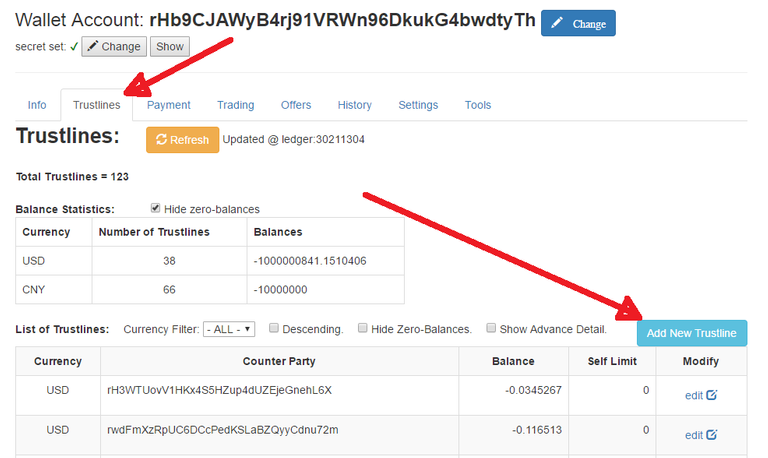
Switch the wallet-account to your own address, and set the associated secret-key.
(please refer Ripple-Wallet Guide #1)Go to
Truslinestab, clickAdd New Trustlines.
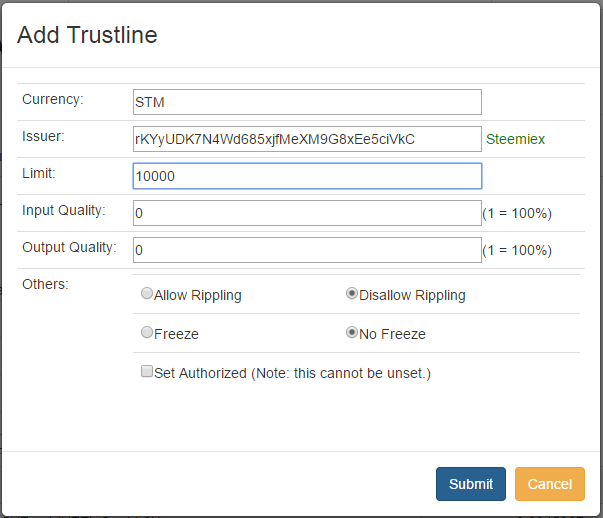
Fill the form:
- Currency:
STMfor STEEM, orSBDfor Steem-Backed-Dollar - Issuer:
rKYyUDK7N4Wd685xjfMeXM9G8xEe5ciVkC - Limit: enter a figure higher than the amount you like to deposit
- (for other fields, just leave it as default)
- click
Submit
- Currency:
Gatehub Wallet
Login to your wallet.
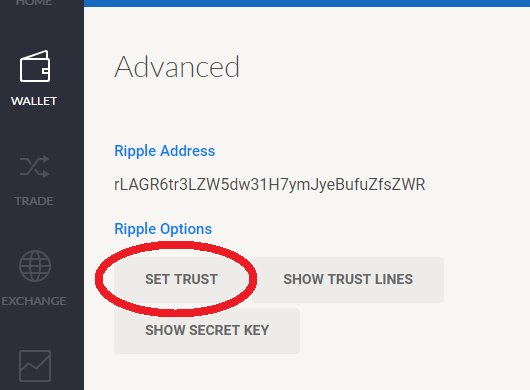
go to
Wallettab, clickAdvanced(at lower right corner)

then click
Set Trust.
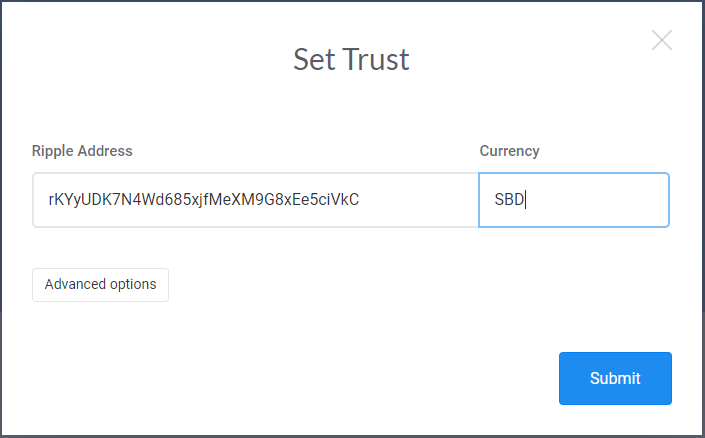
Fill the form:
- Ripple Address:
rKYyUDK7N4Wd685xjfMeXM9G8xEe5ciVkC - Currency:
STMfor STEEM, orSBDfor Steem-Backed-Dollar - (optionally) set a Limit with
Advanced Options - click
Submit
- Ripple Address:
XRP-chat Desktop Wallet
https://github.com/karl-os/XRP-CHAT-WALLET/releases
Login to your wallet,
go to
Trust Linestab, clickAdd trust line,
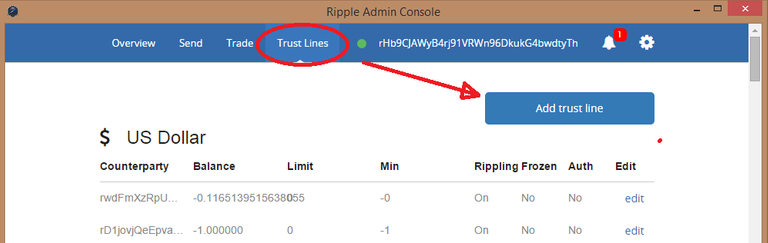
Fill the form:
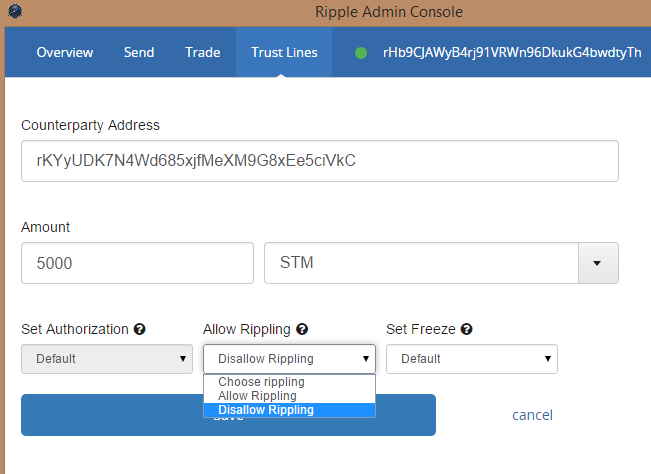
- Counterparty Address:
rKYyUDK7N4Wd685xjfMeXM9G8xEe5ciVkC - Amount: a figure higher than the amount you are going to deposit
- enter
STMfor STEEM, orSBDfor Steem-Backed-Dollar
- enter
- select
Disallow Rippling - click
Save.
- Counterparty Address:
You have a problem with it I translated it in German and Repost this ?